

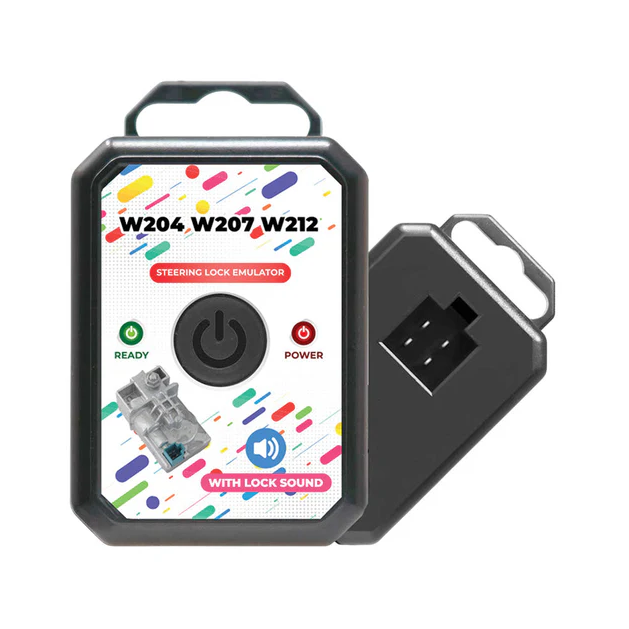
MK3 Mercedes Benz ESL ELV Steering Lock Emulator for W204 W207 W212
Mercedes W204 Esl Emulator Main Features:
- The Mercedes-Benz W204 Steering Lock Emulator is simple and easy to use.
- The Mercedes-Benz W204 ELV Steering Lock Emulator is compatible with most Mercedes key programming devices.
- The Mercedes-Benz W204 ELV Emulator can be reprogrammed multiple times.
- The LED status indicator on the Mercedes-Benz W212 ELV Emulator allows you to easily monitor the programming status.
Mercedes W204 Esl Emulator Behavior:
- LED behavior:
- Green LED: SCL is Unlocked
- Red LED: SCL is Locked
- Sound Behavior:
- Unlocking sound is played when SCL is Unlocked
Installation of the Mercedes W207 Emulator:
- Disconnect the ELV connector from the vehicle's steering lock unit.
- If the steering lock is in the locked position, remove the steering lock unit from the vehicle before proceeding.
- Calculate the Mercedes-Benz EIS password using a compatible Mercedes key programmer.
- Program the Mercedes-Benz ELV Emulator using a compatible Mercedes key programming device.
- Connect the Mercedes-Benz ELV Emulator to the vehicle, then start the engine to verify successful installation.
Note:
- If the Mercedes-Benz ELV Emulator light turns green, programming has been completed successfully, and the vehicle is ready to start.
- If the Mercedes-Benz ELV Emulator light turns red, the programming procedure was not completed correctly, or the key being used does not belong to the same EIS/EZS module.
- If the Mercedes-Benz ELV Emulator light does not turn on, check that the vehicle has power and verify that all cable connections are secure.
Mercedes Benz Steering Lock Emulator Supported EIS / EZS:
- ELV Emulator Mercedes W204 EIS
- ELV Emulator Mercedes W207 EIS
- ELV Emulator Mercedes W212 EIS With Steering Lock
Mercedes ESL Emulator Supported Key Programming Devices:
- Abrites AVDI
- Xhorse VVDI MB BGA
- CGDI MB
- Autel
MK3 Mercedes Benz ESL ELV Steering Lock Emulator for W204 W207 W212
Sale price$35.00
Choose options


